
HTML - Beginners Guide Part 4 - Playing With Colour
In this section we are going to learn about the massive variety of colour available in the world of HTML. You can use these colours to alter text, backgrounds etc. and there's a limitless amount to choose from. I will keep this part short and simple to avoid any confusion within the HTML guide.
Please note that I am running a Windows 7 operating system, and if you have not read parts 1, 2 and 3 I advise doing so. Thanks for reading and I hope you enjoy the guide.
Please note that I am running a Windows 7 operating system, and if you have not read parts 1, 2 and 3 I advise doing so. Thanks for reading and I hope you enjoy the guide.
The Contents...
- Part 1 - The basics of colour.
- Part 2 - The colour chart.
- Part 3 - Setting a coloured page background.
Part 1 - The basics of colour.
For the first part of this section, I'm going to go through the basic colours used in web, along with their colour and RGB codes. I will also include some examples of the colours used within a webpage.
Colour Examples
Colour Examples

BLACK; #000000 - rgb (0,0,0)

GREEN; #00FF00 - rgb (0,255,0)

YELLOW; #FFFF00 - rgb (255,255,0)

PINK; #FF00FF - rgb (255,0,255)
|

RED; #FF0000 - rgb (255,0,0)

BLUE; #0000FF - rgb (0,0,255)

LIGHT BLUE; #00FFFF - rgb (0,255,255)

WHITE; #FFFFFF - rgb (255,255,255)
|
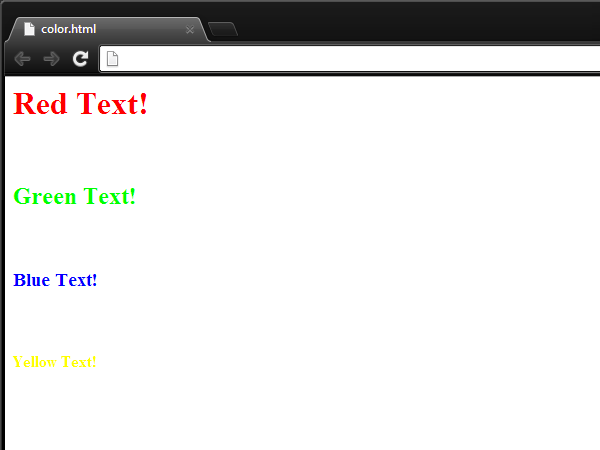
We can use these colours in our website to attract more people and it just gives the page a more eye-catching feel, rather than just standard black and white text. Below you can see a small webpage which displays text with the corresponding colours.
<html>
<head>
</head>
<body>
<font color="#FF0000"><h1>Red Text!</h1></font>
<br/>
<font color="#00FF00"><h2>Green Text!</h2></font>
<br/>
<font color="#0000FF"><h3>Blue Text!</h3></font>
<br/>
<font color="#FFFF00"><h4>Yellow Text!</h4></font>
</body>
</html>
As you can see, here I've used the <font> tag which defines the style and format of the text you are using. I will go through this in more detail in a future tutorial. However, in this case I have used the 'color' format and also added the corresponding HEX code, which will change the text colour. You can see what this looks like below.
I have also used another tag called <br/> - this tag is a simple break row tag which means a new line is started after that tag. It's basically like pressing the enter key when you're usually typing however in the HTML world, except a little more effort. You'll also see this below.
Webpage Preview;
Part 2 - The Colour Chart
Now that we've learnt some simple colours, we can move on to the more detailed and differently shaded colours. You'll most likely find your 'highly' desired colour as there's around 16 million different colours to play with, so you'll never get bored...
As you can see below, I have included a colour chart which includes 216 colours along with the colour's HEX code, which can be extremely useful to web designers, rather than having to remember each one individually. I will also include the source beneath the chart.
As you can see below, I have included a colour chart which includes 216 colours along with the colour's HEX code, which can be extremely useful to web designers, rather than having to remember each one individually. I will also include the source beneath the chart.
| 000000 | 000033 | 000066 | 000099 | 0000CC | 0000FF |
| 003300 | 003333 | 003366 | 003399 | 0033CC | 0033FF |
| 006600 | 006633 | 006666 | 006699 | 0066CC | 0066FF |
| 009900 | 009933 | 009966 | 009999 | 0099CC | 0099FF |
| 00CC00 | 00CC33 | 00CC66 | 00CC99 | 00CCCC | 00CCFF |
| 00FF00 | 00FF33 | 00FF66 | 00FF99 | 00FFCC | 00FFFF |
| 330000 | 330033 | 330066 | 330099 | 3300CC | 3300FF |
| 333300 | 333333 | 333366 | 333399 | 3333CC | 3333FF |
| 336600 | 336633 | 336666 | 336699 | 3366CC | 3366FF |
| 339900 | 339933 | 339966 | 339999 | 3399CC | 3399FF |
| 33CC00 | 33CC33 | 33CC66 | 33CC99 | 33CCCC | 33CCFF |
| 33FF00 | 33FF33 | 33FF66 | 33FF99 | 33FFCC | 33FFFF |
| 660000 | 660033 | 660066 | 660099 | 6600CC | 6600FF |
| 663300 | 663333 | 663366 | 663399 | 6633CC | 6633FF |
| 666600 | 666633 | 666666 | 666699 | 6666CC | 6666FF |
| 669900 | 669933 | 669966 | 669999 | 6699CC | 6699FF |
| 66CC00 | 66CC33 | 66CC66 | 66CC99 | 66CCCC | 66CCFF |
| 66FF00 | 66FF33 | 66FF66 | 66FF99 | 66FFCC | 66FFFF |
| 990000 | 990033 | 990066 | 990099 | 9900CC | 9900FF |
| 993300 | 993333 | 993366 | 993399 | 9933CC | 9933FF |
| 996600 | 996633 | 996666 | 996699 | 9966CC | 9966FF |
| 999900 | 999933 | 999966 | 999999 | 9999CC | 9999FF |
| 99CC00 | 99CC33 | 99CC66 | 99CC99 | 99CCCC | 99CCFF |
| 99FF00 | 99FF33 | 99FF66 | 99FF99 | 99FFCC | 99FFFF |
| CC0000 | CC0033 | CC0066 | CC0099 | CC00CC | CC00FF |
| CC3300 | CC3333 | CC3366 | CC3399 | CC33CC | CC33FF |
| CC6600 | CC6633 | CC6666 | CC6699 | CC66CC | CC66FF |
| CC9900 | CC9933 | CC9966 | CC9999 | CC99CC | CC99FF |
| CCCC00 | CCCC33 | CCCC66 | CCCC99 | CCCCCC | CCCCFF |
| CCFF00 | CCFF33 | CCFF66 | CCFF99 | CCFFCC | CCFFFF |
| FF0000 | FF0033 | FF0066 | FF0099 | FF00CC | FF00FF |
| FF3300 | FF3333 | FF3366 | FF3399 | FF33CC | FF33FF |
| FF6600 | FF6633 | FF6666 | FF6699 | FF66CC | FF66FF |
| FF9900 | FF9933 | FF9966 | FF9999 | FF99CC | FF99FF |
| FFCC00 | FFCC33 | FFCC66 | FFCC99 | FFCCCC | FFCCFF |
| FFFF00 | FFFF33 | FFFF66 | FFFF99 | FFFFCC | FFFFFF |
Because the source code for this chart is slightly long, I've created a link on PasteBin.com so you can simply either download it from there or copy and paste it. Click the button below to do so.
Part 3 - Setting a coloured page background
So we've talked about the massive variety of colour available in HTML, along with how to use that colour in text. This section however is for those who want a coloured background to 'jazz' up their website in just a matter of seconds.
The first step is to, of course, select your desired colour. Once you've found the colour you'll need to identify the HEX code (using the chart). Once you've found your choice of colour you're ready to go. I will start by showing the source code below...
The first step is to, of course, select your desired colour. Once you've found the colour you'll need to identify the HEX code (using the chart). Once you've found your choice of colour you're ready to go. I will start by showing the source code below...
<html>
<head>
<title>Coloured Webpage</title>
</head>
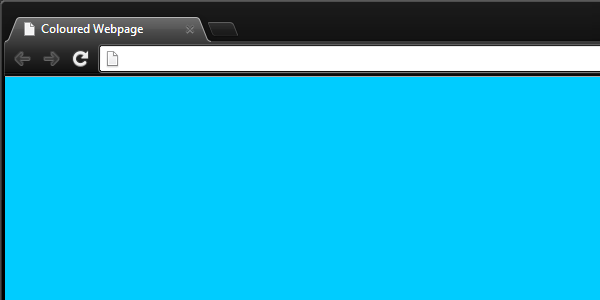
<body bgcolor="#00CCFF">
</body>
</html>
As you can see we have the standard tags, however a small extension within the <body> tag. This is the bgcolor tag which allows us to change the colour of the background colour to anything we want. For this example I will choose a light blue. As you can see in the source code I put the HEX code which I found on the chart. You can see what the page looks like below.
Webpage Preview;
Other Examples;
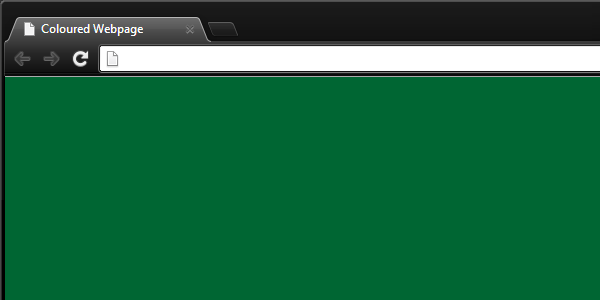
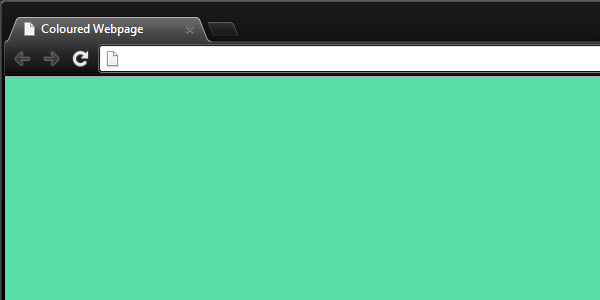
So that's how to add some colour and brighten up your webpage the easy way. I hope you enjoyed reading through and learnt about colour in HTML, please visit my other tutorials for other tips and tricks!

Berrytech
